
AI Short Video Styles Explained: Motion Comics, Kinetic Text, Talking Avatars
A clear guide to the main types of AI short videos. Understand motion comics, kinetic text, and talking avatars. Learn how each format works, when to use them, and what tools help create them.
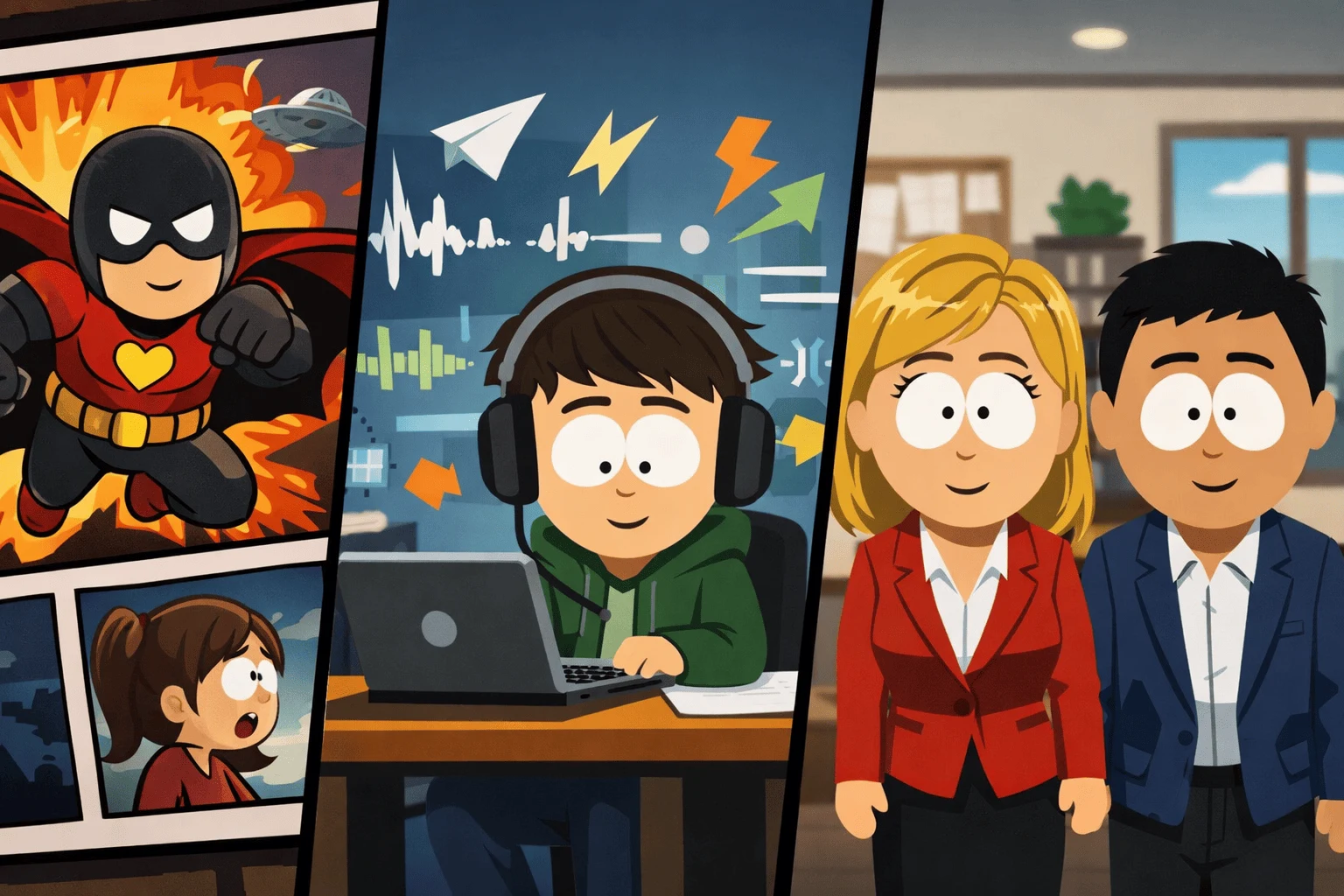
Table of Contents
- AI and Short Videos Today
- Why AI Short Videos Work
- A Clear Map of AI Video Styles
- Motion Comics
- Kinetic Text
- Talking Avatars
- Comparison of the Three Styles
- Hybrid Styles
- Examples from Real Use
- How to Pick the Right Format
- How to Create an AI Short Video Step-by-Step
- Ethical Points
- Challenges to Watch
- Future of AI Short Videos
- FAQs
- Conclusion
AI and Short Videos Today
Short videos now drive most attention on social media. They are fast, easy to share, and reach millions in seconds.
Artificial intelligence has become central to how these videos are made. It handles many tasks that once needed whole teams. That includes writing scripts, animating scenes, and syncing voiceovers.
Creators use AI because it makes production faster and cheaper. You can build a whole story or explainer in minutes. A single person can now do what a full studio used to handle.
Platforms like TikTok, Instagram Reels, and YouTube Shorts favor content that grabs attention quickly. AI video tools help creators do that. The visuals are sharper, the motion is smoother, and the voices are clear.
This shift changed how people tell stories. AI short videos now include new visual forms that didn’t exist before. The main ones are motion comics, kinetic text videos, and talking avatars.
Why AI Short Videos Work
Short-form videos work because they use pattern, color, and motion to hold the viewer. AI tools enhance that. They manage rhythm and focus. They predict where people look and when they drop off.
The best videos move in a way that feels natural. AI uses timing and pacing to do this automatically. It can match music beats, detect pauses in speech, and adjust motion to fit the tone.
Each video style—motion comics, kinetic text, and talking avatars—connects differently with viewers. Motion comics draw attention through visuals. Kinetic text creates energy through movement. Talking avatars create trust by adding a human presence.
A Clear Map of AI Video Styles
You can think of AI short video styles as a small ecosystem. Each one has its own look, use case, and tone.
This section outlines three main types:
- Motion Comics
- Kinetic Text
- Talking Avatars
Each serves a different purpose in storytelling, marketing, or education.
Motion Comics
What They Are
A motion comic is a mix of illustration and animation. It looks like a comic book that moves slightly. The camera pans, panels slide, and characters may blink or talk. AI tools handle this movement automatically.
Motion comics work best when you want to tell a story quickly. They keep the comic-book feel but add small touches of life. They are often used for short stories, education, or product explainers.
How They’re Made
Creating one usually involves a few steps:
- Draw or generate panels with AI art tools.
- Add simple animation like zooms or transitions.
- Record a voiceover or use text-to-speech.
- Sync everything in a timeline.
AI tools help at every stage.
- Pika Labs can generate scenes with minimal setup.
- Runway ML edits and stylizes visuals.
- Storyboarder helps organize panels and story order.
These tools remove the need for manual keyframes or long rendering times.
What Works Well
Motion comics are strong in visual storytelling. They use layers and depth. AI can simulate parallax effects, making flat images appear 3D.
They also work well for niche audiences who enjoy art-driven stories.
They are best suited for creators who want to show emotion or story without needing full animation.
Kinetic Text
What It Means
Kinetic text, or kinetic typography, is animated text. Words move, expand, twist, or bounce to the rhythm of sound or voice.
These videos deliver messages fast. They are popular for ads, quotes, or motivational clips.
How It Works
AI tools can read an audio track and time text animation to it. The result feels like the words are speaking.
To make one, you start with a script. AI generates a layout. Fonts and motion are chosen based on emotion and pacing.
- Animaker provides templates for this style.
- Veed.io aligns text with sound automatically.
- Descript animates captions directly from voice tracks.
The animation is minimal but powerful. It highlights rhythm and tone.
Design Tips
Keep words short. Use one or two lines at a time. Change size to guide focus. Match color with the emotion of the voice or sound. Avoid too many effects. Movement should follow meaning.
This format works best for brands and creators who want quick impact. It’s ideal for marketing, education snippets, and news summaries.
Talking Avatars
What They Are
Talking avatars are AI-generated characters that speak on screen. Some look realistic. Others look stylized or animated. They move their lips, blink, and express emotion. The speech is driven by text input.
They are used for explainers, training, and influencer-style videos. They offer a human-like presence without requiring an actor.
Popular Tools
There are several major platforms that make this easy:
- Synthesia – creates professional-looking avatars with clear voices.
- HeyGen – offers more style options and instant translations.
- DeepBrain AI – known for realistic facial motion.
Each tool can create a video within minutes. You write a script, select an avatar, and the AI does the rest.
Why They’re Effective
Viewers connect faster when they see a face. The voice and eyes make the content feel more personal.
For training or support videos, this helps build clarity. For marketing or content creation, it builds trust.
Talking avatars are now common in corporate and educational videos. They reduce costs and time while keeping a professional tone.
Comparison of the Three Styles
| Feature | Motion Comics | Kinetic Text | Talking Avatars |
|---|---|---|---|
| Focus | Visual storytelling | Text rhythm | Human connection |
| Complexity | Medium | Low | High |
| Speed of Production | Moderate | Fast | Moderate |
| Best Use | Stories, learning | Ads, quotes | Training, explainers |
| Viewer Effect | Immersion | Energy | Trust |
Each serves a different goal. The best choice depends on what message you want to deliver.
Hybrid Styles
AI allows you to mix styles easily. Some creators now blend two or more techniques in one video. These hybrids create fresh visual results.
Common hybrids include:
- AI Manga Avatars: Talking avatars drawn in anime or comic style.
- Kinetic Storyboards: Text animation layered over still or moving illustrations.
- AI Illustrated Podcasts: Avatars narrate stories while comic panels animate in the background.
These styles appear often on TikTok and YouTube. They attract audiences who want both storytelling and information.
The key to success is balance. Too much motion or text can confuse viewers.
Examples from Real Use
AI short videos have already gone viral in many formats.
A few examples:
- A TikTok creator used AI motion comics to retell famous myths in one-minute videos.
- A wellness brand made kinetic text clips for daily affirmations.
- A startup coach used a talking avatar for short business lessons.
All performed well because the message fit the format. The visuals supported the story instead of overwhelming it.
How to Pick the Right Format
When choosing between these styles, think about three things: audience, goal, and tone.
| Goal | Recommended Format |
|---|---|
| Storytelling or narrative | Motion Comic |
| Fast message or quote | Kinetic Text |
| Professional communication | Talking Avatar |
For younger viewers, fast text and bright colors work.
For older or professional audiences, talking avatars provide a clearer experience.
Motion comics sit between the two. They are artistic and flexible.
If you’re unsure, start with a short test video in each format. Compare watch time and engagement. Let data decide what fits your brand.
How to Create an AI Short Video Step-by-Step
- Plan the message. Define what you want the viewer to understand.
- Write the script. Keep it under one minute. Use short lines.
- Select the style. Choose one of the three main types.
- Pick a tool. Each AI platform has free or trial options.
- Add sound. Music and voice set the tone.
- Edit pacing. Trim silence and adjust speed.
- Publish. Add captions, titles, and hashtags.
This workflow takes less than an hour once you learn the tools. Consistency matters more than perfection.
Ethical Points
AI video creation raises issues around authenticity and copyright.
Creators need to handle this with care.
- Always disclose if you use AI avatars.
- Avoid copying existing characters or artwork.
- Check licenses for AI-generated content.
- Avoid using real people’s likeness without permission.
AI should support creativity, not replace real people or mislead viewers. Transparency builds trust.
Challenges to Watch
AI videos can still feel unnatural. Voices may sound too clean or robotic. Facial movement can look stiff. Motion may not always match tone.
These problems will reduce as technology improves, but creators should review every output carefully.
Another challenge is sameness. Many AI videos now look alike because they use the same templates. The way to stand out is through original writing and story structure, not just visuals.
Future of AI Short Videos
AI tools are improving fast. Future versions will create videos that adapt to each viewer. For example, the pacing might slow down for someone who pauses often. Or the color palette could shift based on audience preferences.
Augmented reality and emotion detection will play a larger role.
AI avatars might soon react to comments or live chat in real time.
In the long term, the boundary between creator and tool will fade. You’ll describe a concept, and the system will handle everything else—visuals, music, and delivery.
But storytelling skill will still matter most. The best AI videos come from clear ideas and human direction.
FAQs
Q1. What is an AI short video?
A short video made with help from AI tools that automate visuals, animation, and sound.
Q2. Which AI video style works best for education?
Motion comics and talking avatars are most effective for explaining topics clearly.
Q3. Can I make these videos without design skills?
Yes. Most AI platforms have templates. You need a script and basic editing sense.
Q4. Are AI-generated avatars realistic enough for work use?
Yes. Tools like Synthesia or HeyGen are now used in corporate training and online courses.
Q5. What’s the main risk of AI short videos?
Overuse. If everyone uses the same format, viewers lose interest. Keep your tone authentic.
Q6. How do I keep AI videos ethical?
Be open about using AI. Credit sources. Don’t fake real people’s faces or voices.
Conclusion
AI short videos now shape how we communicate online. They’re quick to make and easy to adapt for any topic.
Motion comics offer storytelling depth.
Kinetic text delivers short, strong messages.
Talking avatars provide human connection and authority.
The most effective creators use each style for the right purpose. They care about design, clarity, and honesty.
As tools evolve, the goal remains the same: clear, engaging communication that respects the audience’s time and attention.
AI is a tool. The story is still yours.
External Reference:
For further reading, see MIT Technology Review.